Best Translation Tool for Multilingual Africa Content Teams
- April 23, 2025· Article by Maria Jones
- best translation tool , translation platform online
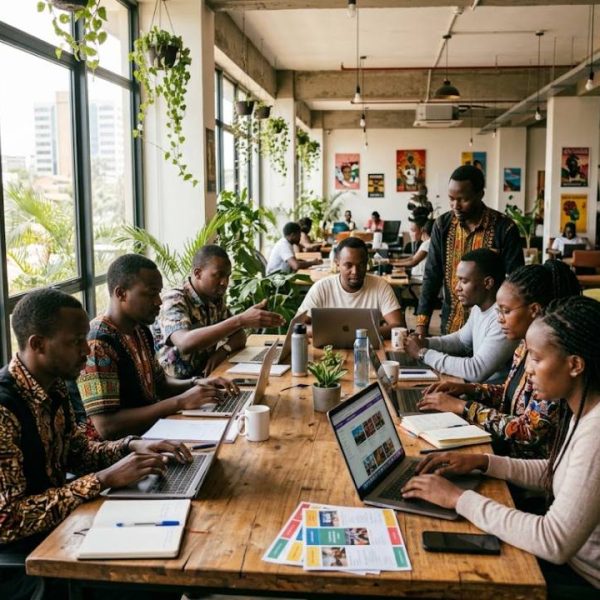
Content teams that serve African audiences work in a rich and demanding language environment. A single venue guide may need English, French, Portuguese, Arabic and Swahili, and a campaign may need to speak to travelers, organizers and local hosts in different tongues at once. Finding the best translation tool for that reality is less about a single clever feature and more about a workflow that keeps many languages in step.
The challenge of many languages at once
Adding a language is easy on paper. In practice, each one brings new reviewers, new fonts, new directions of writing and new expectations. Teams without a clear system end up with versions that drift apart, so that a price, address or opening hour differs between languages.
The best tool is the one that makes every extra language cost a little less than the last.
What to look for in a translation tool
Wide language coverage
Check that the tool supports the languages you need today and the ones you may add later, including right-to-left scripts and languages with fewer machine translation options.
Shared memory and glossary
Venue names, place names and event terms must be spelled the same way everywhere. A shared glossary prevents the small differences that confuse readers and search engines.
Collaboration with local reviewers
Local knowledge matters. A tool should let freelancers and local partners join a project easily, even with a modest connection, and review text in the browser without special software.
Machine translation with human review
For some language pairs, machine output is strong. For others, it needs heavy editing. A good platform lets you choose engines per language and keeps a human review step in the loop.
Technical foundations that help
Behind every multilingual site lies a layer of standards for scripts, formats and regional data. The Unicode CLDR project provides shared locale data, such as names of languages, date formats and number conventions, used by many software products around the world. A translation tool that respects these conventions makes it easier to display dates, currencies and names correctly in each market.
One platform instead of many tools
Many teams juggle a translation website, a spreadsheet, an email thread and a messaging app. A single platform replaces that patchwork with a visible workflow. Content comes in, is translated and reviewed, and goes back out, with every step recorded.
That is why the best translation tool for a growing content team is usually part of a complete platform with memory, glossary, review and integrations in one place.
Planning around content types
Not everything needs the same treatment. Event listings change often and need speed. Editorial stories need a human touch. Legal notices need careful review. Decide which content is handled by machine plus light review, and which by full human translation.
For a practical framework, this article on content localization explains how to match effort to content.
A venue guide example
A media team publishes guides to conference venues across several cities. Every guide has the same structure, with capacity, facilities, transport and contact details, plus a few paragraphs of local color. Facilities and transport texts repeat across many venues.
With a memory, repeated descriptions are translated once and reused. Translators focus on the unique paragraphs, local reviewers check names and directions, and the guide goes live in several languages together, not weeks apart.
Guides are only half of what such a team publishes. The same venues also need announcements, press invitations and campaign pages that reach journalists and organizers in each market at the same moment. Handled well, that is multilingual communication rather than translation as an afterthought: one story, timed once, voiced appropriately for every audience. Teams that plan the announcement with the same care as the guide itself avoid the mixed messages that quietly undermine an event.
Working with limited connectivity
Not every contributor has a fast connection. Lightweight, browser-based editors and offline-friendly export options make it possible for translators to work wherever they are. Ask vendors how the editor performs on slow connections, and whether work is saved automatically so that nothing is lost when the signal drops.
Mistakes to avoid
Teams often add languages faster than they can maintain them. Others rely on machine translation for languages where it is weak, without a review step. A third mistake is forgetting that names of places and venues often have several accepted spellings, which must be decided once and recorded in the glossary.
A simple rollout plan
Start with two languages and one content type. Import existing translations into a memory, build a small glossary and run one full cycle. Measure the time from source to publication and the number of corrections. Add a language only when the first two run smoothly.
Measuring what works
Track the time from a source change to a published translation in each language, the number of corrections after publication and the share of text reused from memory. If the first two numbers fall while the third rises, your workflow is improving. Share these figures with partners and local reviewers, so everyone can see the effect of their work and suggest the next improvement.
Questions to ask vendors
Which languages and scripts do you support? How do reviewers join? How is my data stored? Can I export everything? How does the editor behave on slow connections? Clear answers will show whether a tool is built for the realities of a multilingual, multi-market team.